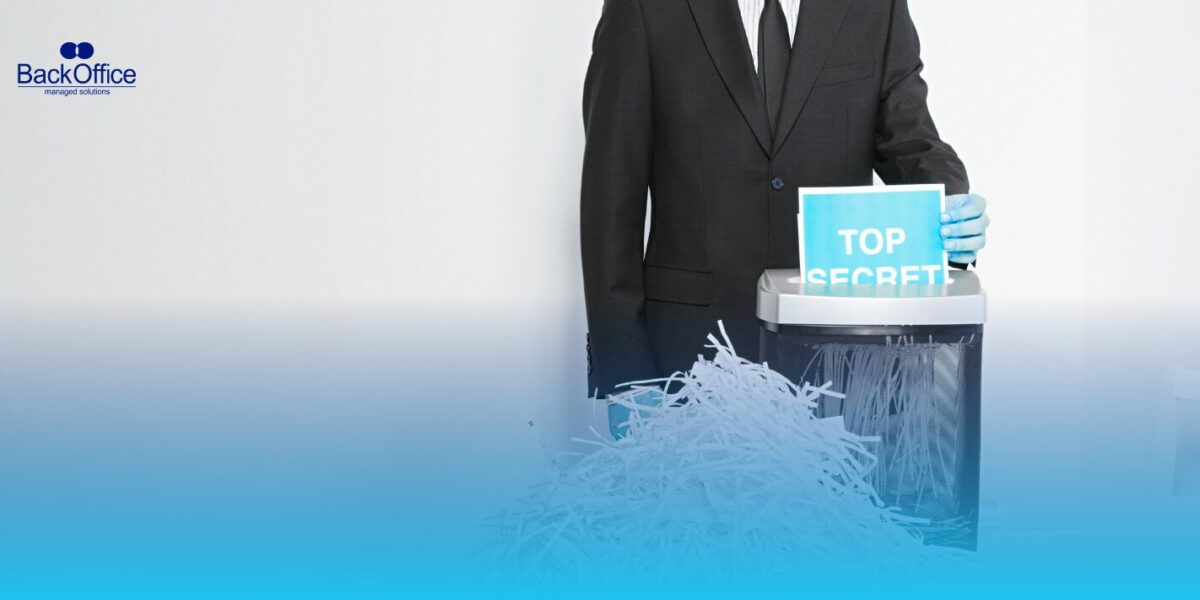


Paper and digital files surround us every day. Think about how many pieces of paper and digital files your business or home produces in a week. The numbers can be staggering.
According to global data experts, the total amount of data created in the world was set to exceed 180 zettabytes by 2025, and now in 2026, that means that many more physical and digital records.
At the same time, physical sheets of paper are still very much in use despite laptops, cloud drives, and smartphones becoming standard tools at work. That tells you right away why you need to think about “how should you destroy physical and virtual documents?”
If these materials contain sensitive information and you do not dispose of them properly, you are leaving the door open for identity theft, privacy breaches, or worse. This blog walks you through everything you need to know to avoid all of that.
We will start with the basics. Then we will move into specific methods for destroying paper and digital data. By the end, you should be confident about setting up a secure document destruction routine that protects your privacy and secures your information.
But first,
Why You Must Think About Document Destruction
Let’s set the scene. Most people and many companies have boxes of old invoices, bank slips, employee records, and even confidential contracts lying around. If these papers are not destroyed correctly, someone could get their hands on them.
On the virtual side, old files, unused accounts, obsolete project records, and forgotten backups pile up in cloud storage and old hard drives. If they are not removed safely, they could become targets for hackers or internal misuse.
And the risk is real. The global average cost of a data breach was about $4.44 million in 2025, a slight change from 2024 but still a huge financial hit for any organization.
So when you ask the question, “how should you destroy physical and virtual documents?”, you are really asking: How can I protect my information, reduce risks, and make sure no one gets access to things I want to keep private?
That is what this blog will help you answer with clear steps and examples you can use.
What Documents Should Be Destroyed?
Before we get into the methods, you have to know which documents should be destroyed. Not every piece of paper in your office needs to be shredded, and not every old file needs to be wiped from a server.
Here is how to decide:
- Personal Information
This includes anything that could identify you or someone else. Full names, addresses, phone numbers, tax identification numbers, account details, or health information all fall into this category. - Financial Records
Bank statements, credit card slips, loan documents, and tax returns older than their retention period can be a liability if left around. - Legal Documents
Contracts that have expired, non-disclosure agreements, or proprietary legal memos can hold sensitive clauses or client data. - Internal Reports and Plans
Drafts of pricing models, strategy reports, product roadmaps, and client lists can give competitors insight they should not have. - Obsolete Digital Files
Old email accounts, unused databases, or forgotten backups stored in cloud drives or old hardware are easy targets if not removed securely.
Basically, anything that contains information you would not want strangers or data thieves to see should be part of your destruction plan.
How Should You Destroy Physical Documents?
Let’s be honest. Most people think you can just throw paper in the trash and be done with it. That is not destruction. That is inviting someone to fish through your bin and find personal details.
Below we have described the most practical ways to destroy physical records, with clear steps you can take:
1. Shredding
When someone asks “how should you destroy physical and virtual documents?”, the first answer for paper is shredding.
Shredding cuts your paper into strips or tiny pieces that should not be readable again.
But not all shredders are equal. Strip-cut shredders cut paper into long strips. They are fine for everyday notes and general office clutter. On the other hand, cross-cut or micro-cut shredders turn paper into confetti-like bits. These are safer for sensitive documents because the pieces are so small they cannot be put back together easily.
For a busy office, a heavy-duty cross-cut shredder is one of the best investments you can make.
If you have piles of old files, you can either shred them in your office or hire a professional shredding service to take care of them.
For very large volumes, a service provider will come to your location, take the documents, and even give you a “Certificate of Destruction” to confirm the job was done correctly.
This is a good idea if you are dealing with highly sensitive material or regulated data that might be inspected later.
2. Burning
This option might sound old-fashioned, but fire destroys paper beyond recognition. If you have access to a secure fire pit or incinerator, you can burn documents safely.
Check any local rules about open burning before you start. In many areas, there are limits or requirements for container size, location, or safety protocols.
Once the paper is reduced to ash, spread it out well and confirm that nothing readable remains.
For many small businesses or home offices with limited shredding options, burning is one of the most definitive ways to destroy sensitive records.
3. Pulping And Soaking
You can also mix paper with water and a bit of bleach in a bucket. Let it sit until it breaks down into a pulpy mess.
Stirring the mix with gloves will help break the paper fibers apart so they are unrecognizable.
This method is low-tech and works well if you do not have an expensive machine.
Once the pulp is soaked and unreadable, you can dispose of it with regular waste.
4. Reuse And Recycling After Shredding
Once paper is shredded, most recycling programs will accept it.
Recycling shredded paper cuts down on waste and keeps sensitive portions out of landfills.
It also reduces your environmental impact while ensuring your documents are gone for good.
Remember, shredded paper is accepted differently in different recycling programs. Confirm the rules in your local recycling centre to avoid problems.
5. Secure Storage Until Scheduled Destruction
If you have documents that must stay around for a certain period before they can be destroyed, keep them in locked storage bags or secure cabinets.
Label them clearly with a destruction date. That way you avoid accidental disposal too early, and when the time comes, you have a clear plan for secure destruction.
How Should You Destroy Virtual Documents?
Now let’s move into the digital world.
Virtual files exist on computers, servers, external drives, phones, and cloud storage. These files can contain the same sensitive details as a piece of paper. Destroying them securely requires more thought.
The following steps should help.
1. Data Overwriting
When you delete a file by moving it to the recycling bin, it is not gone. It is just marked as unused space. With the right tools, someone can recover it.
That is why a secure deletion tool is important. These tools overwrite the data multiple times so that it cannot be recovered using software.
On Windows, tools like SDelete can overwrite files securely.
For Mac users, programs like Permanent Eraser do the same job.
This is one of the most direct answers to “how should you destroy physical and virtual documents?” for digital files.
2. Complete Drive Wiping
If you are retiring a hard drive, USB flash drive, or SSD, simply deleting files is not enough.
You need to wipe the drive.
Wiping a drive writes over all sectors with random data. This makes it extremely difficult or nearly impossible to retrieve the original files.
There are free and paid utilities that can wipe drives. Look for tools that meet government or industry standards.
If a drive leaves your control, wiping is a must.
3. Degaussing
This method applies mostly to magnetic media like old hard drives or tape backups.
Degaussing uses a strong magnetic field to erase data from the media.
A degausser can be expensive, but many secure IT asset disposal firms offer it as part of their service.
If your business handles highly sensitive material, degaussing is a reliable way to destroy the data on old equipment.
4. Physical Destruction
For devices that hold sensitive information, physical destruction might be the best choice.
This could mean shredding the hard drives themselves, crushing them, or even melting them down under controlled industrial conditions.
Doing so will remove the storage medium entirely.
Just make sure that whatever company or service you use provides clear documentation of how and when the destruction was done.
5. Secure Cloud File Deletion
This is a big one for many businesses.
Files stored in cloud services like Google Drive, Dropbox, or company servers might live in multiple places.
When you delete a cloud file, make sure you understand the provider’s deletion policies.
Some services move items to a trash folder first. You might need to empty that folder manually.
Need more security, especially with regulated data? Consider using encrypted cloud storage and check that your cloud provider supports secure deletion that removes all copies from backups and synced devices.
Bonus Step: Outsourcing to Professionals
Hands down, the most conclusive answer to ““how should you destroy physical and virtual documents?” is hiring an expert document shredding or destruction service.
Instead of figuring out shredders, storage, and old hard drives on your own, you can pass the responsibility to a team that handles document destruction every day. This works well for businesses that deal with sensitive records, high volumes of paper, or digital data that requires proper disposal on a set schedule.
We handle secure shredding, data disposal, and proper handling from start to finish, so sensitive information does not sit around longer than it should.
If you are ready to put document destruction on autopilot and follow proven best practices, request a quote from Back Office FZ LLC and tell us what you need destroyed. We will take it from there!